Give attention a place to return
Research with recorded lectures found that questions between sections reduced mind wandering and improved learning.
You make time for courses, lectures and podcasts. You want more than a finished episode. MindOwl asks questions while you listen, helps you practise recall, and saves the ideas to revisit later.
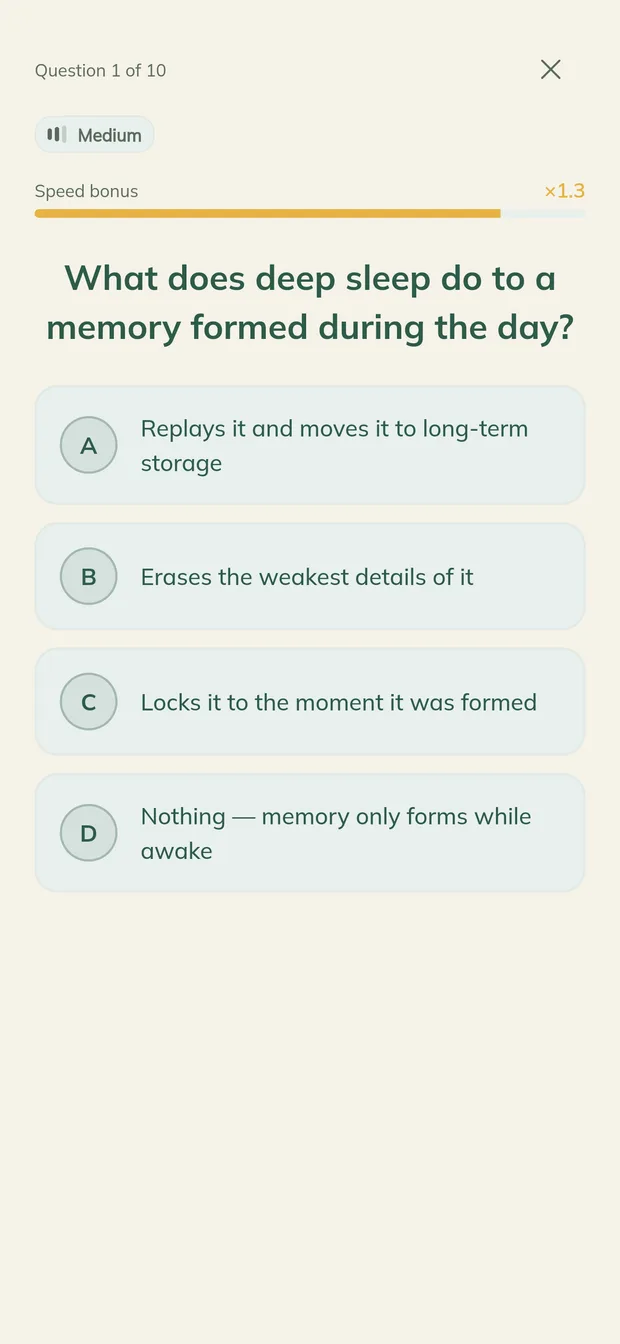
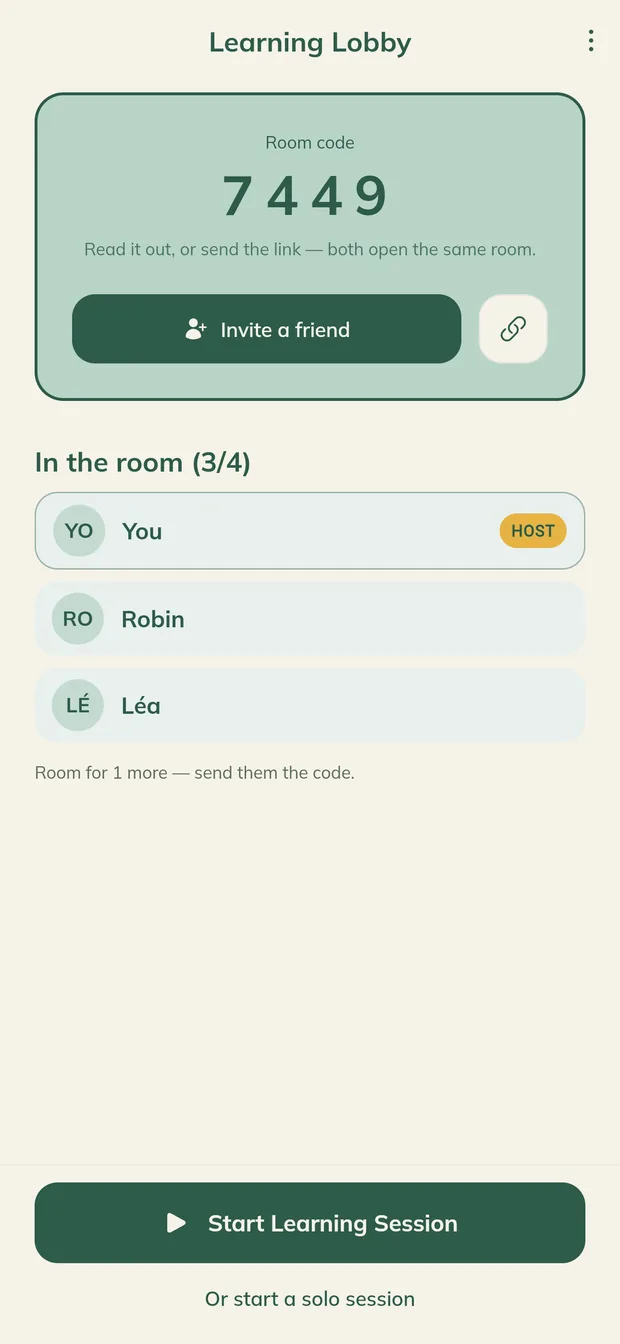
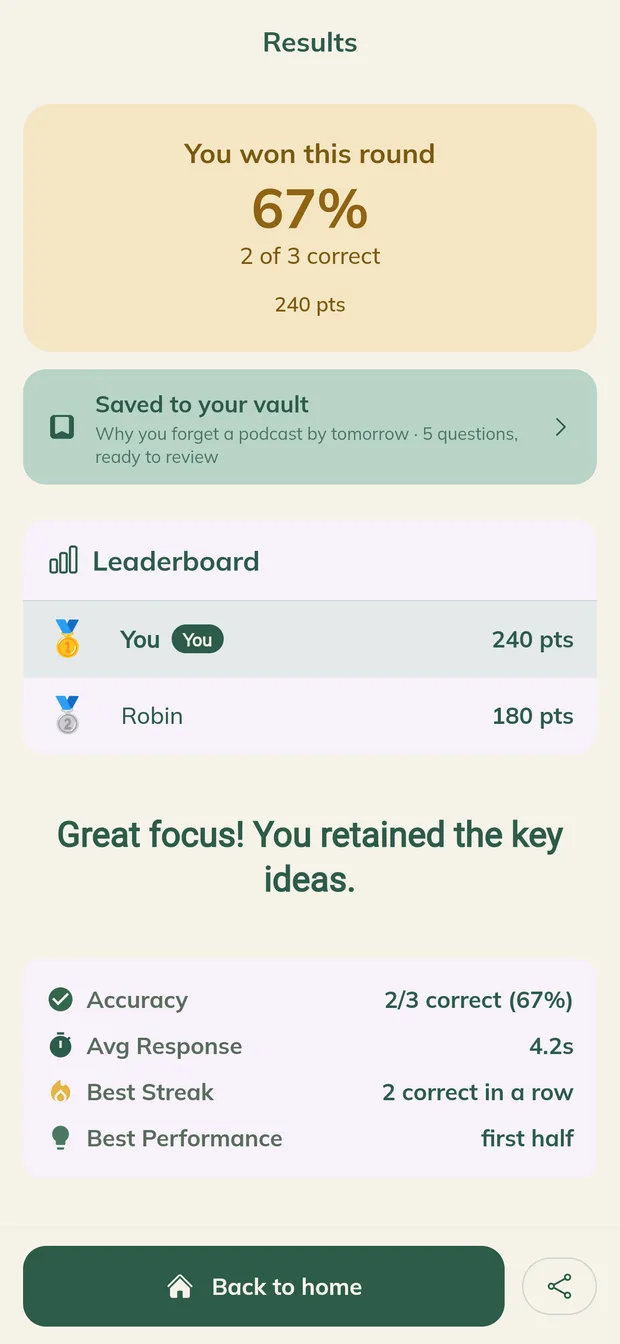
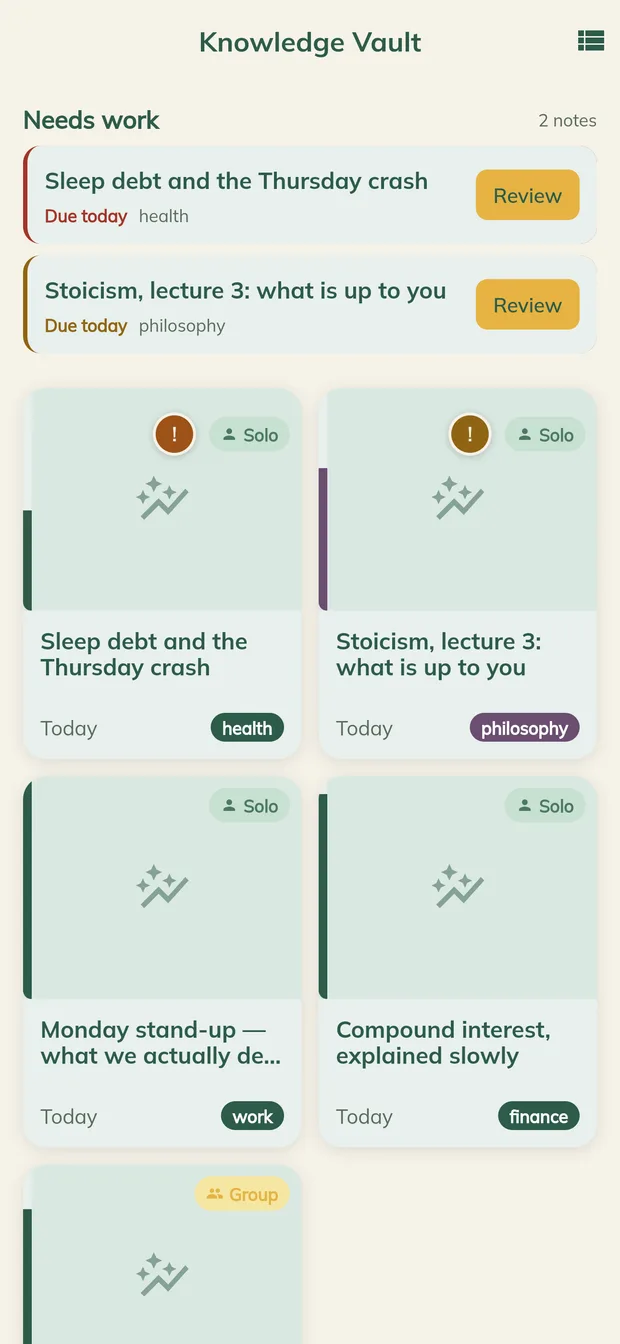

You care about learning. Yet attention can drift, and following an explanation is different from recalling it yourself. MindOwl adds questions during listening, so you can check your understanding and practise bringing an idea back.
Listening introduces an idea. Trying to bring it back is another part of learning.
Research with recorded lectures found that questions between sections reduced mind wandering and improved learning.
Retrieval practice can improve later remembering. A question is a learning opportunity, beyond the score you get right now.
Corrective feedback helps you see what you missed. Return to your saved questions over time for further practice.
Explore the research
These studies concern learning methods, not measured MindOwl results. Outcomes vary with the material and how you practise.
Bring something you want to understand. MindOwl prepares the questions, so you can spend your effort learning.

A course, recorded lecture or educational podcast. Play it out loud on your laptop or a speaker, with your phone beside you. MindOwl listens along.

Questions arrive during the session. Try an answer, check the feedback and reconnect with what was just said. You do not have to prepare the quiz yourself.

Your summary, key takeaways and quiz stay in your Knowledge Vault. Open your review queue to practise again, with spaced repetition to guide what is due.
MindOwl hears through your phone’s microphone, so the audio needs to play out loud: from your laptop, a speaker or the room you are in.
A bead celebrates each correct answer. Keep practising, one question at a time.
A question gives you a reason to return to the idea while you listen. Try to recall it, check your answer and see what needs another look.
Which action is an example of active recall?
Four correct answers.
Four chances to practise recall.
Questions arrive during your session, giving you moments to engage with the material instead of letting it become background noise.
Your answers and session results help you spot questions to revisit. An immediate score is a starting point for practice.
Find your session summary, key takeaways and quiz in one place. Spend less time preparing material for your next review.
Spaced repetition organises the questions due for practice. Open your queue and pick up where you left off.
Generate more questions from a saved session when a topic deserves another pass.
Finishing the audio is the beginning. Your saved notes and questions make it easier to return to an idea and practise remembering it.
Your review queue shows what is due, so you have a place to start each time you return.
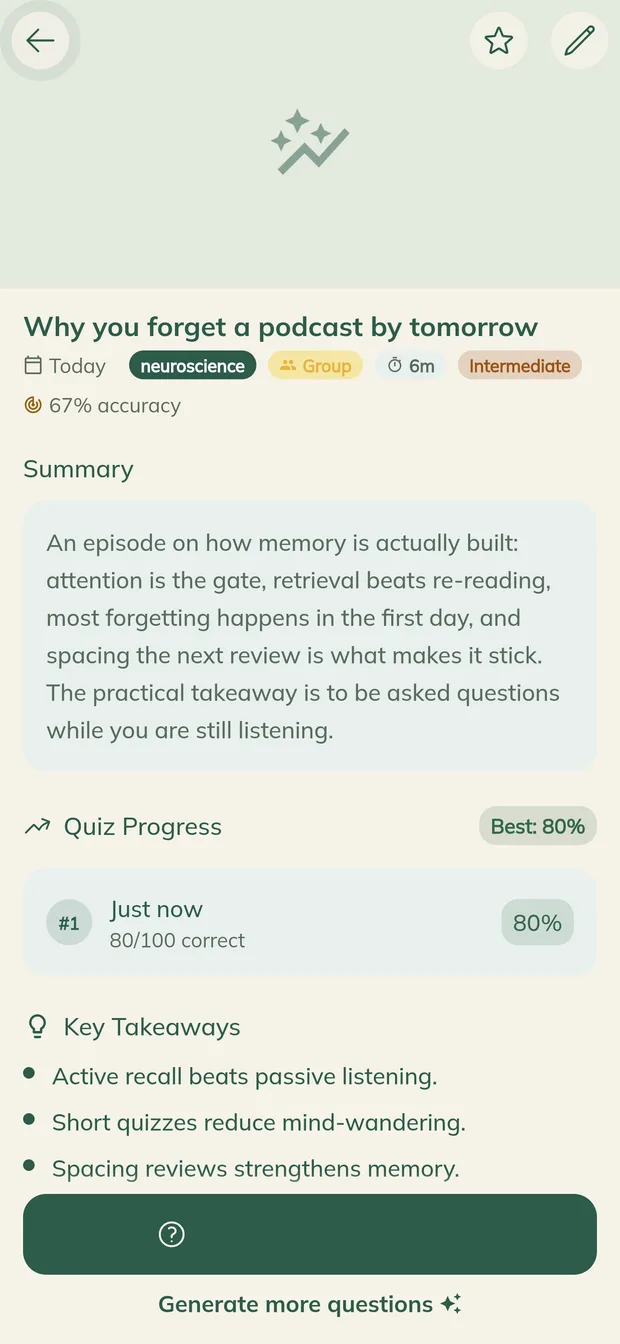
A summary, key takeaways and quiz are saved together. Revisit what matters without writing your own study material from scratch.
Explore a skill, an idea or a subject that fascinates you. Play an educational podcast, audiobook or talk aloud and give yourself questions to think through as you listen.
Start on your own, or bring a study partner, group or class. Listen to the same material and compare your answers.
Anything with a voice that plays out loud: recorded lectures, online courses, YouTube talks, webinars, podcasts, audiobooks. MindOwl listens along, so there is no file or transcript to upload.
Not today. MindOwl hears through your phone’s microphone, so the audio has to play out loud: from your laptop, a speaker or the room you are in. The easiest setup is the lecture on your laptop and your phone beside it.
That moment is exactly what it is built around: a question arrives while the audio plays, and answering it brings your attention back to what was just said. MindOwl is not a medical tool and makes no medical claim. It just makes drifting off harder to miss.
No. Questions arrive over what is playing and you answer without interrupting it. A speed bonus rewards the answers you already knew.
About 30 seconds in, then they keep coming as the session goes on.
Many schools have a policy on recording teaching, so check yours and ask your lecturer when in doubt. MindOwl is meant for your own study: the audio is not kept once the session is processed, and your notes stay in your own vault.
Google Cloud Speech-to-Text turns it into text, and Google Gemini writes the questions and the summary from that text. The audio itself is not kept after the session is processed, and your data is not sold. The app asks for your permission before your first session.
Yes. Create a room, share the 4-digit code, and everyone answers the same questions at the same time with a live leaderboard. Joining a room needs no signup at all.
Not to join a room and play. Saving sessions to your own vault does need an account, so that the vault is still yours on your next device.
MindOwl runs in the browser today, on phone and desktop. The mobile apps are on their way to the stores.
For the skill you want to build, the idea you want to understand, or the curiosity you want to follow. Start with something you want to learn today.
Runs in your browser. No install, no card.